Mikhmon Sales Report Not Showing? Causes and Fixes
Mikhmon only fills its report when the user profile uses the Remove & Record or Notice & Record expired mode. A sale is recorded when a voucher first logs in, so unused vouchers are not in the report yet.
Applies to: Mikhmon V3 · Mikhmon Pro
- Category
- Troubleshooting
- Read time
- 3 min
- Published
- Updated
- Language
- English
Step-by-Step Guidance
- 1Open Hotspot > User Profile, edit the voucher profile, and set Expired Mode to Remove & Record or Notice & Record.
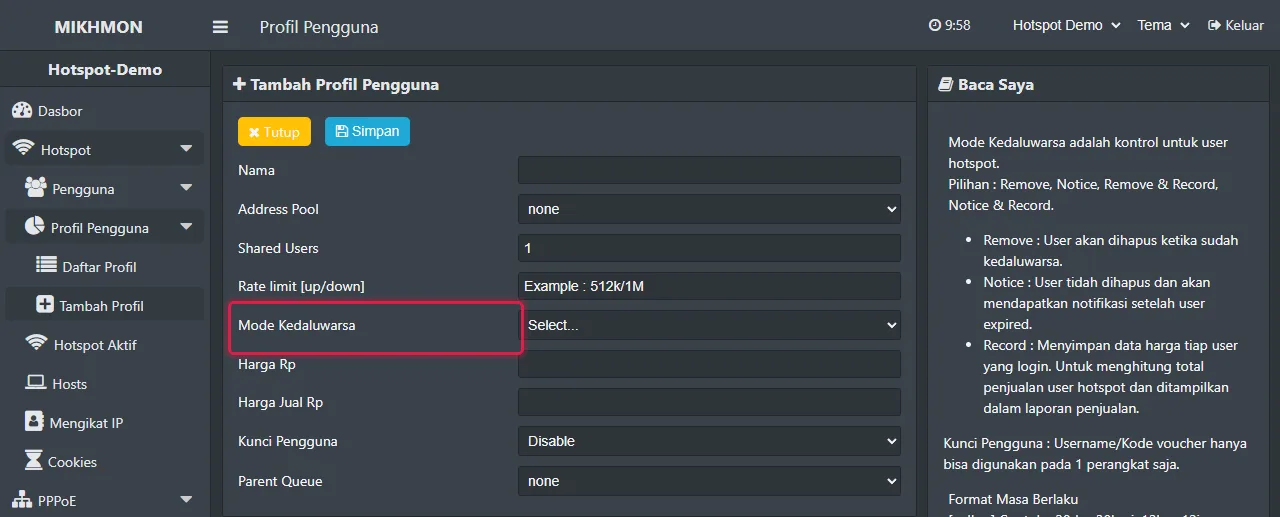
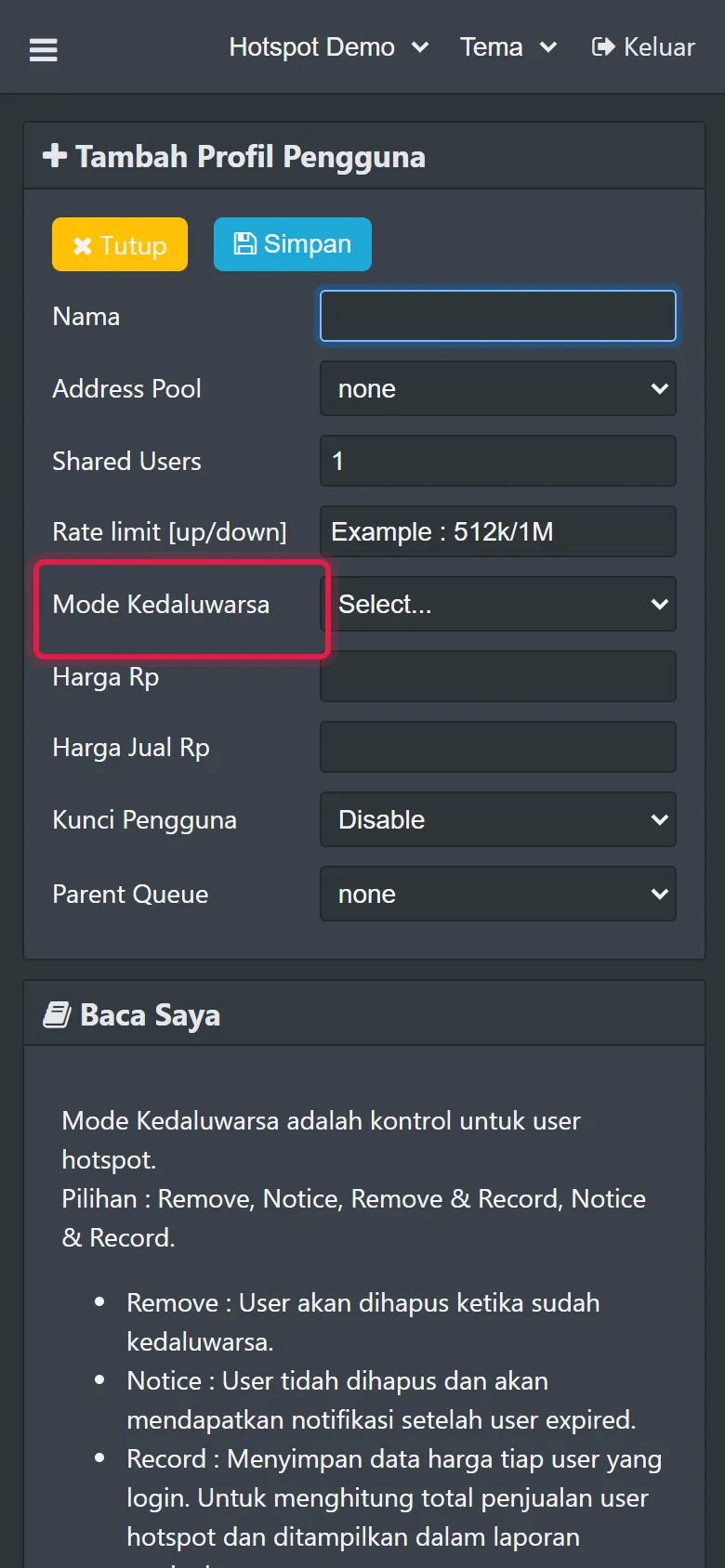
Hotspot > User Profiles > Add - 2Fill in Validity (for example 1d) and Price, then save so Mikhmon rewrites the profile's on-login script.
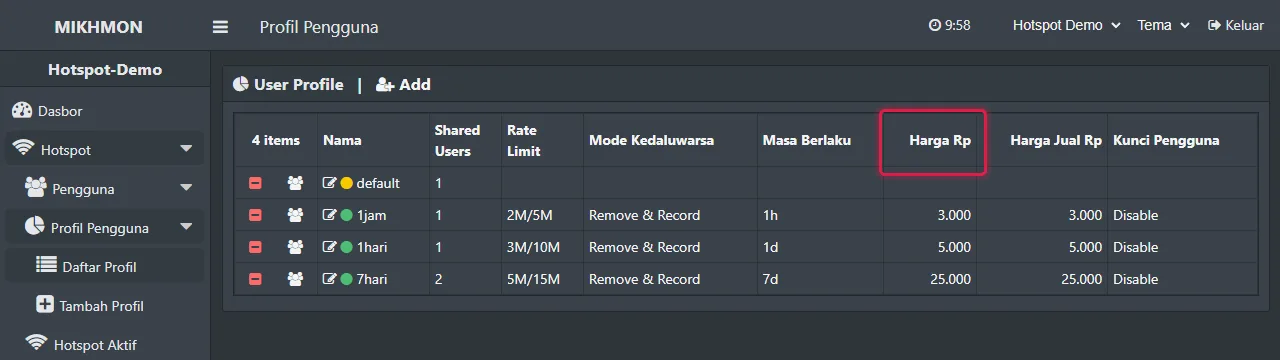
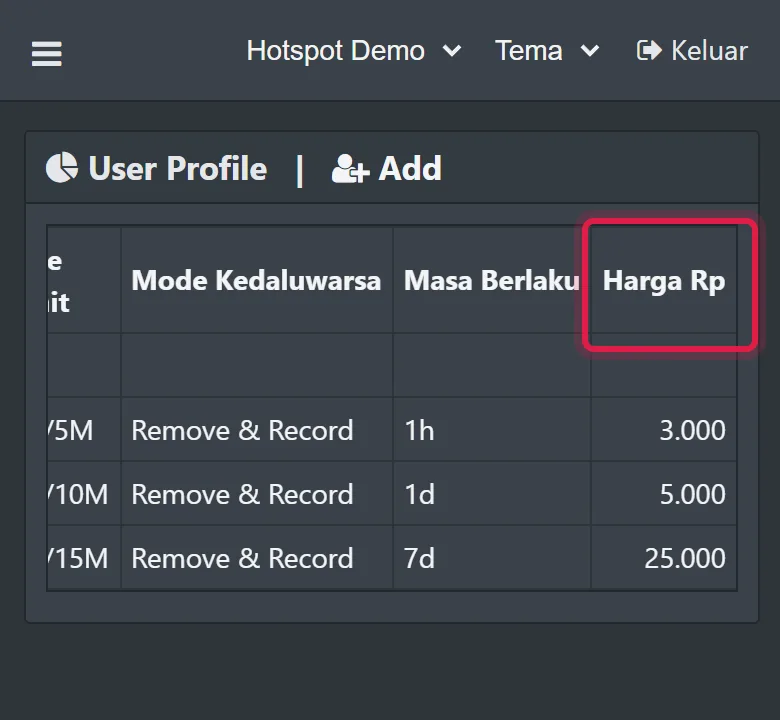
Hotspot > User Profiles - 3Generate vouchers from Mikhmon. Users made in Winbox with their own comment are not recorded.
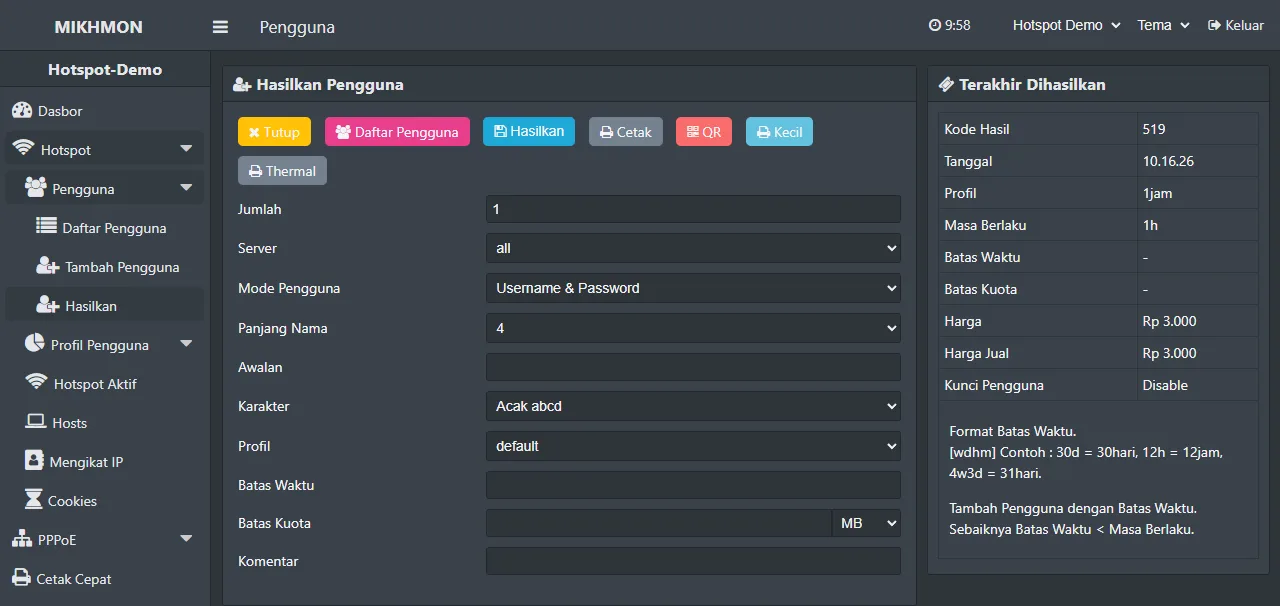
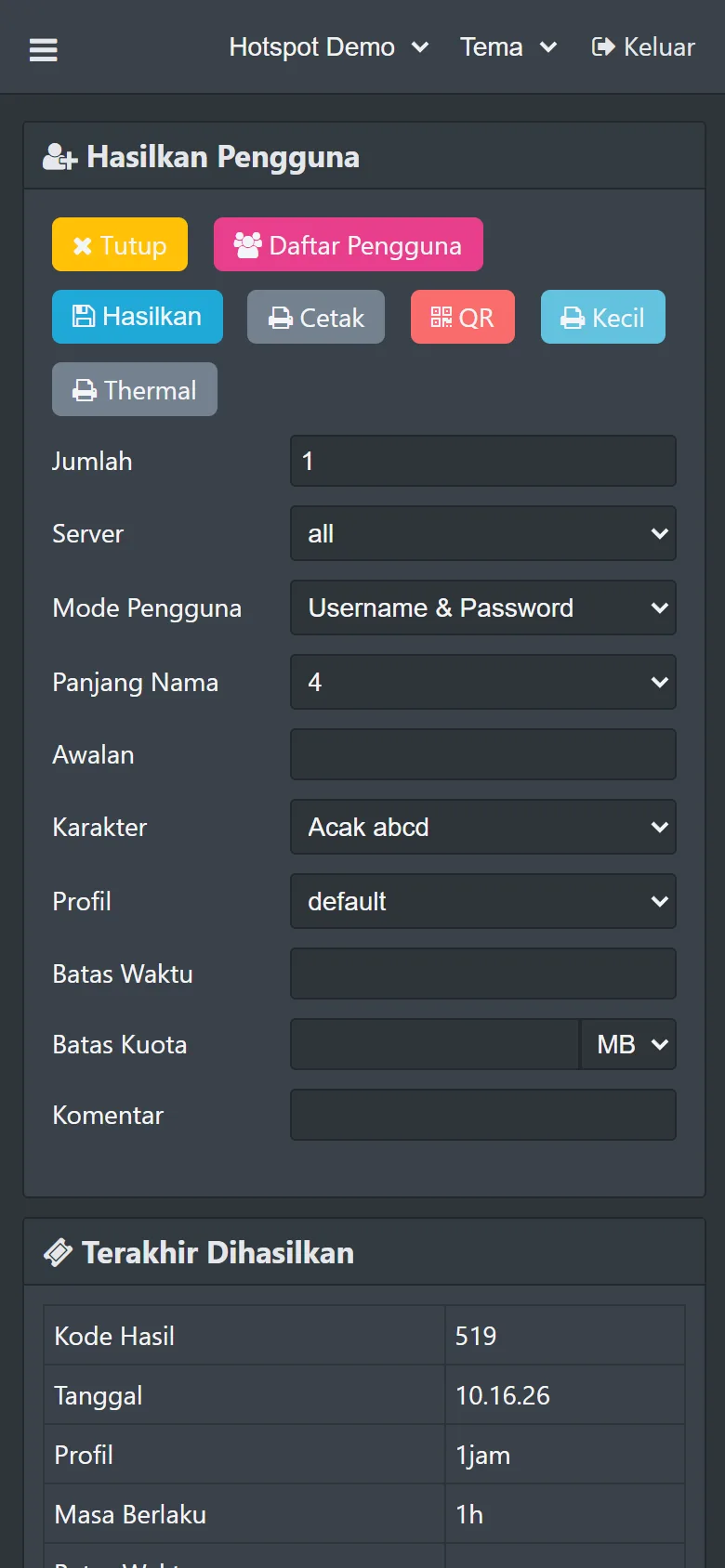
Hotspot > Users > Generate - 4Check the router clock with System > NTP Client, then open Report and pick the right day or month.
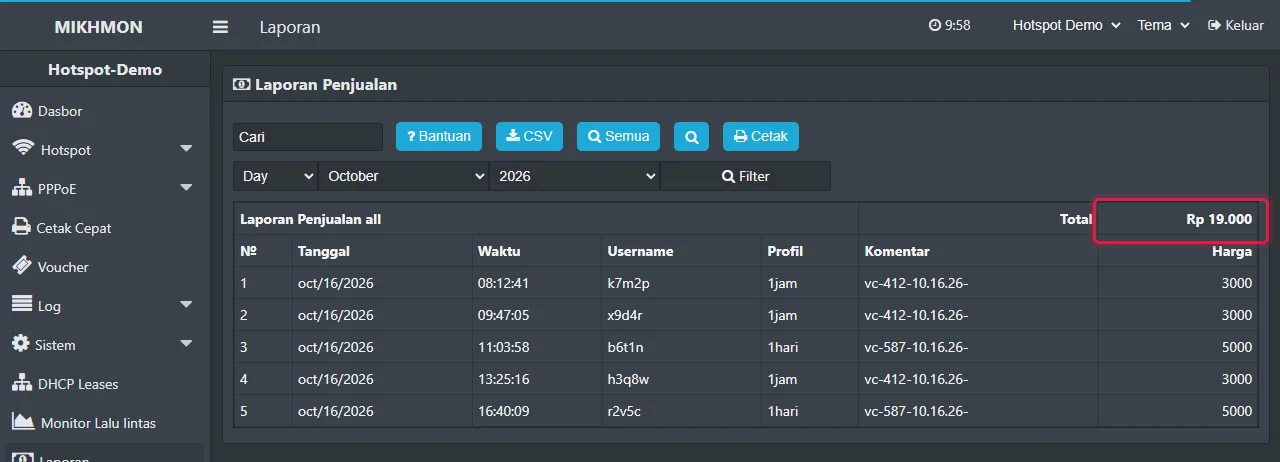
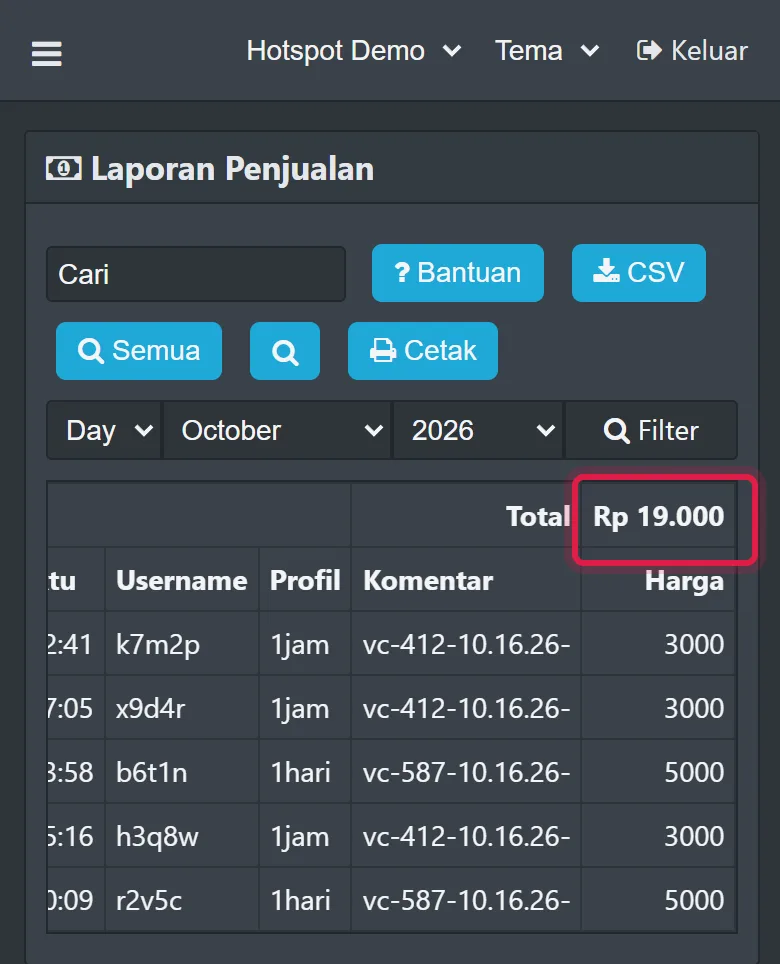
Report > Selling
How Mikhmon records sales
Mikhmon keeps no separate report database. When a voucher first logs in, the profile's on-login script adds an entry under System > Scripts with the comment mikhmon, holding the date, time, username, price, IP, MAC, validity, and profile.
The Report page reads those entries straight from the router. If the script never runs, there is nothing to read and the report stays empty.
Why the report is empty
Expired Mode is still None, Remove, or Notice. Only the modes with Record in the name record sales.
The profile was created or edited in Winbox, so Mikhmon's on-login script is missing or changed.
The user's comment does not start with vc or up. The script only records Mikhmon vouchers and users with no comment.
The router clock is wrong, so sales land on another day or month.
The entries were deleted. Clearing System > Scripts or resetting the router configuration also deletes the report.
RouterOS 7.10 and the date format
RouterOS 7.10 and later print dates in a new format such as 2026-10-15. On-login scripts from older Mikhmon versions can misread it, which leaves monthly reports empty.
Save the user profile again from Mikhmon Online. The script it writes converts the date to the old format before recording, so reports still group by day and month.
Follow one voucher from its profile to the report
Choose one test account with recording enabled in its profile. Note its name, price, profile, and first login time. After using it, open the report with a date range covering that event.
Do not count generated but unused vouchers as recorded sales. If a profile or script was just changed, test a new account; the change does not reconstruct historical records.
Compare the report date with the router clock
Read the router clock and confirm NTP synchronization. A date shift after reboot can put entries outside the selected range or affect validity rules.
These commands inspect time and the script list. Do not run, delete, or overwrite recording scripts while investigating older reports.
/system clock print
/system script printFrequently asked questions
Why is one voucher recorded twice?
Usually the profile was edited while its vouchers were still active. Create a new profile for new rules and let the old one run out.
Can I export the Mikhmon report?
Yes. The Report page has a CSV button that downloads the selected day or month.
Where does Mikhmon store report data?
On the router itself, as System > Scripts entries with the comment mikhmon. Resetting the router configuration deletes the report, so download the CSV regularly.