Mikhmon V3 vs Pro V5: Dashboards, Vouchers, and Choosing a Version
V3 retains the original Mikhmon interface and workflows. Pro V5 reorganizes the dashboard and management pages. Choose based on your tasks and templates, and test the same router and profiles before switching.
Applies to: Mikhmon V3 · Mikhmon Pro
- Category
- Basics
- Read time
- 2 min
- Published
- Updated
- Language
- English
Step-by-Step Guidance
- 1List the profiles, voucher templates, and tasks you currently use in V3.
- 2Compare account and active-user totals on the same router, rather than only the dashboard appearance.
- 3Try one voucher, its print page, and reporting in the destination version before using it for sales.
- 4Save copies of templates and settings before changing the instance version in the management panel.
What is being compared?
Mikhmon Pro offers V3 and the V5 interface. Here V3.20 and Pro V5 read the same lab router with ten accounts and no active users. This compares layout, not application speed.
The Mikhmon V3 dashboard
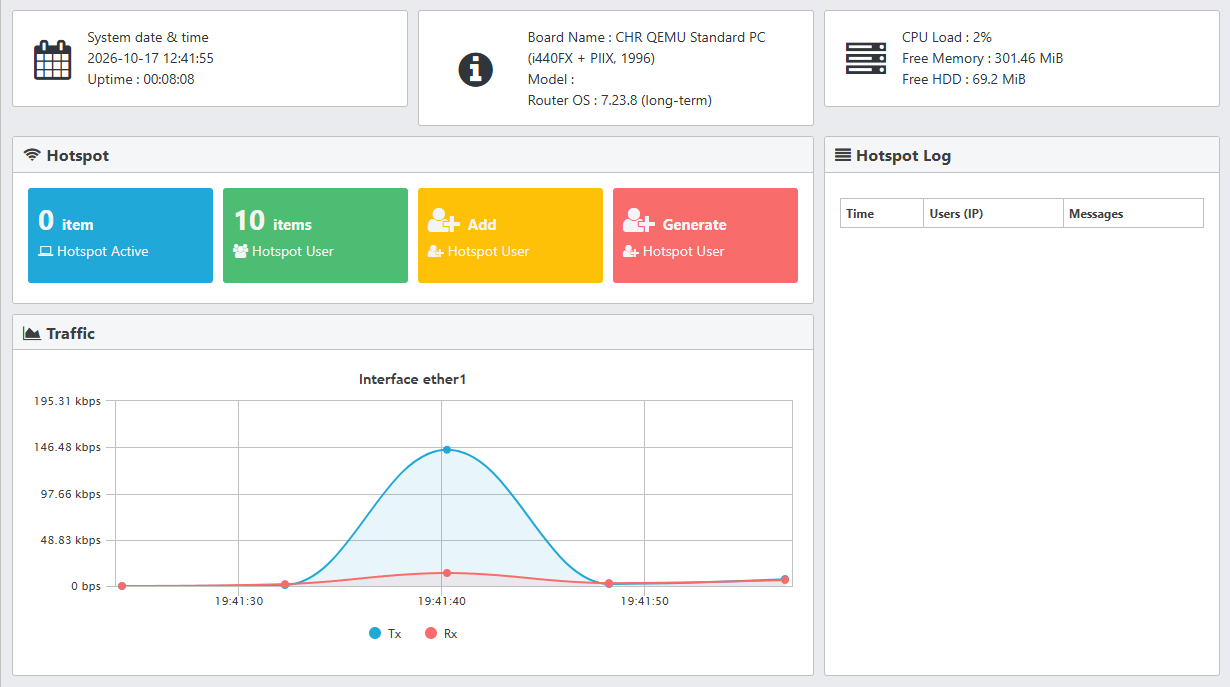
V3 puts Hotspot Active and Hotspot User in colored boxes, with Add and Generate shortcuts nearby. Router information and the Traffic graph occupy other parts of the page.
The Pro V5 dashboard
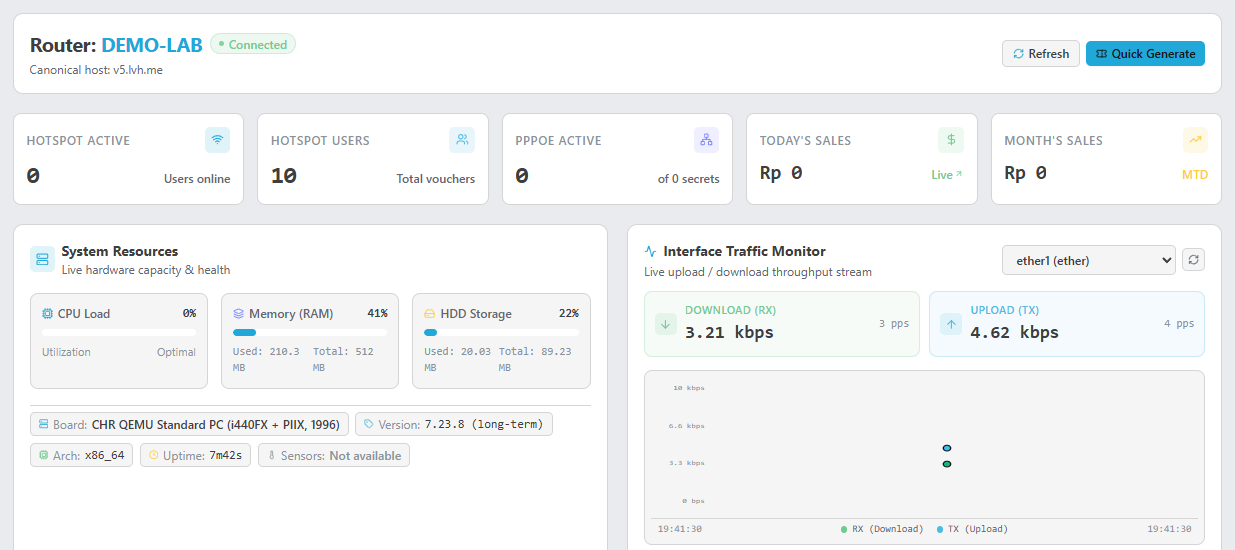
V5 groups account and sales cards below the session name. System Resources collects CPU, RAM, storage, and router identity; Interface Traffic Monitor shows download, upload, and a graph.
Both dashboards read the same router accounts. Users moving from V3 need to learn the new locations of menus and panels.
Check vouchers and templates before switching
Select the intended profile, create one account, and inspect its code and print page. Do not assume PHP templates from V3 can be pasted into the V5 editor without changes.
Check reporting after using a test voucher. A newly created account is not necessarily a recorded sale. Compare the tasks you actually need rather than only the dashboard screenshots.
Choose a version for daily work
Keep V3 when your workflow and templates suit your needs. Try V5 if you prefer the page layout shown above, allowing time to check results on your own router.
CPU and traffic figures describe the router at that moment. Demo screenshots do not establish that either application is faster or more secure. A performance comparison needs the same task, connection, and comparable data.